
Android installation
Your next practice session starts here.
Unfold Music isn’t available on Google Play. To install it on Android, download the APK below and open it on your phone. An APK is an Android app installation file.
For Android phones and tablets.
Need a hand?
What do I do after downloading?
Open the APK from your browser’s downloads or your Files app. If prompted, tap Settings and enable Allow from this source for that browser or Files app. Return to the APK and tap Install, then Open. You can turn that permission off again afterwards under Settings → Apps → Special app access → Install unknown apps.
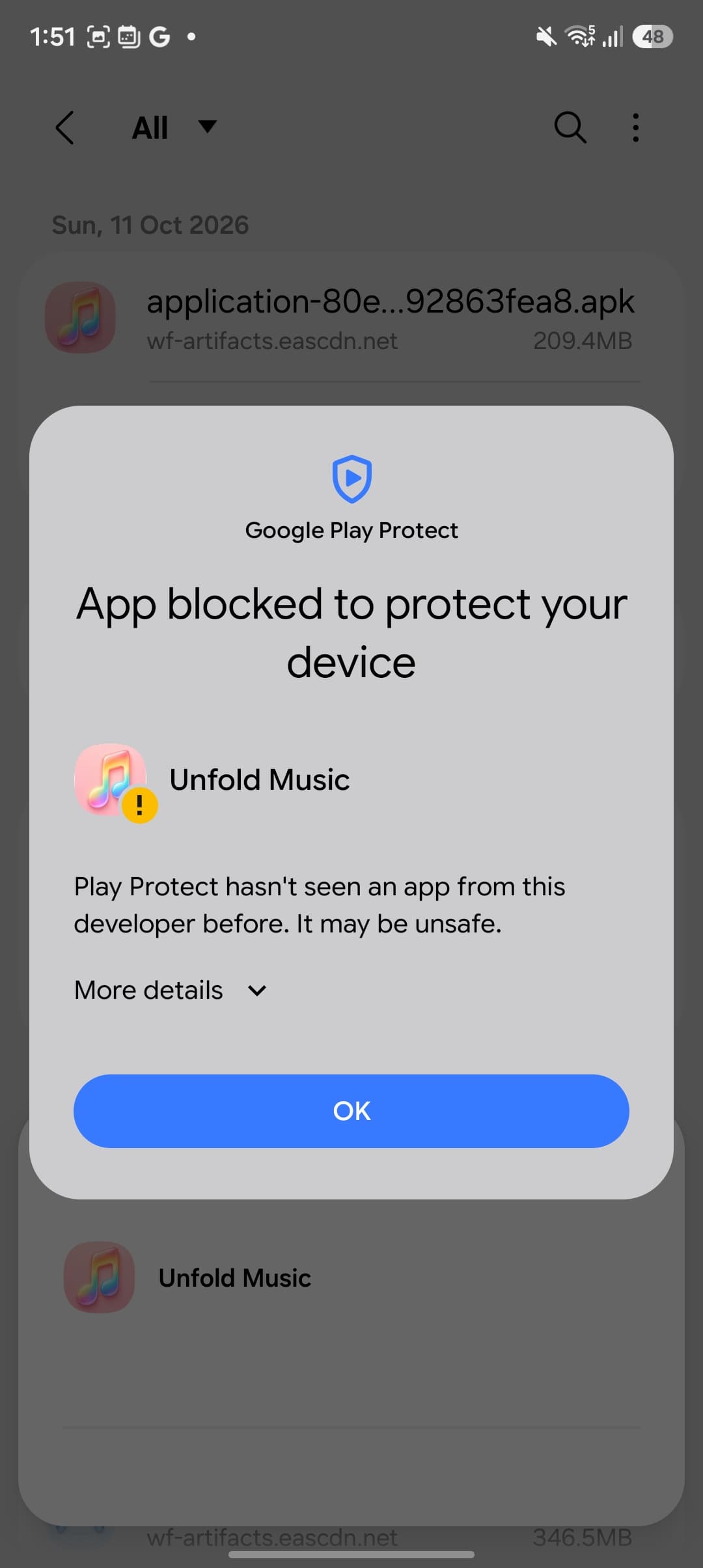
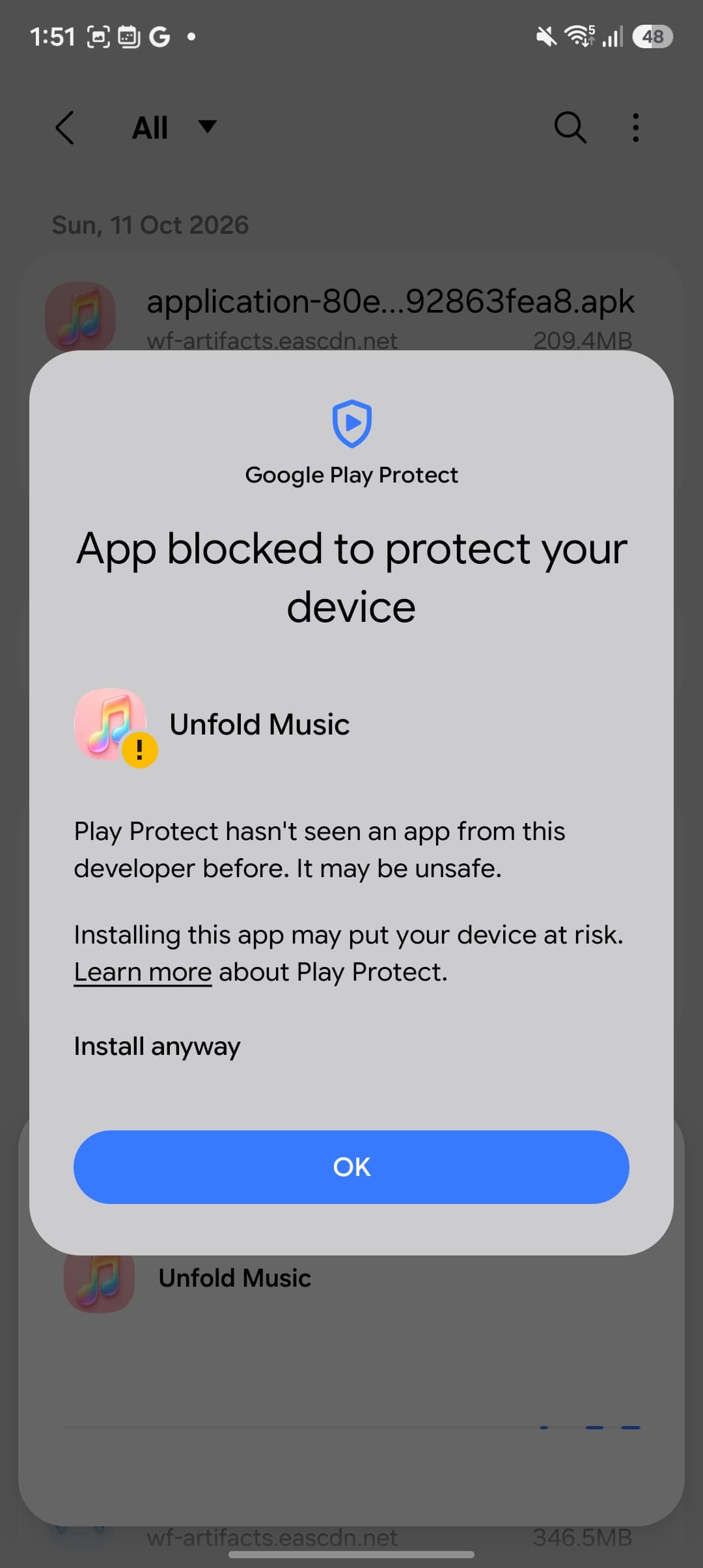
Google Play Protect blocks the install
If Play Protect shows “App blocked to protect your device” and says it hasn’t seen an app from this developer before, tap More details, then Install anyway to continue. Only do this if you trust the Unfold Music APK you downloaded from this page.
Samsung says Auto Blocker is on
If Auto Blocker prevents the install, open Settings → Security and privacy → Auto Blocker and temporarily turn it off. Install the APK, then turn Auto Blocker back on. Only change this setting if you’re comfortable installing this download.
Samsung’s Auto Blocker guideI can’t find the install setting
Search your phone’s Settings for Install unknown apps, then choose the browser or Files app you used to open the APK. Menu names vary between phones. If your phone is managed by work or school, this option may be restricted.
Google’s installation guideHow do I update the app later?
Come back to this page for the latest APK and install it over your existing app. If an update won’t install, contact support before uninstalling, as uninstalling can remove practice data stored on your phone.
Still stuck? Get in touch with your phone model and the message you’re seeing.